Getting started on EP567 Game takes under two minutes. You need only your Pakistani mobile number to register. No ID documents, no lengthy forms, and no waiting period before your account is active.
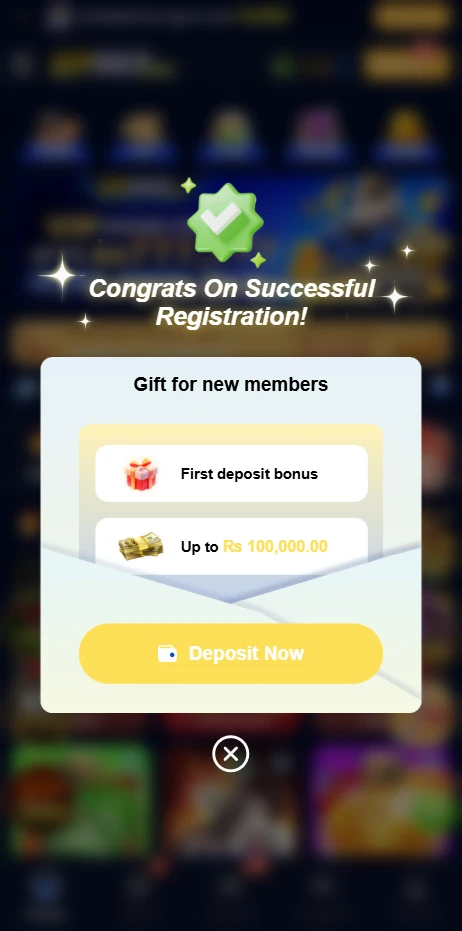
How to Register a New Account on EP567 Game App?
Step 1: Open the EP567 Game app after installation or visit ep567game.com in your browser.
Step 2: Tap Register or Sign Up on the main screen.
Step 3: Enter your Pakistani mobile number in the registration field.
Step 4: Create a strong password. Use a combination of letters and numbers. Avoid your date of birth or phone number as your password.
Step 5: Enter a referral code if someone invited you. This step is important. The referral code field is only available during registration. It cannot be added after your account is created. If you skip it now, you cannot add it later.
Step 6: Tap Submit.
Step 7: Enter the OTP verification code sent to your mobile number to confirm your account.
Step 8: Your account is now active. Your welcome bonus is ready to claim in the Bonus section.
What to Do Right After Registration?
- Go to the Bonus or Promotions section and claim your welcome bonus immediately.
- Switch the app language to Urdu if you prefer it. Go to Settings or Profile and find the language option there.
- Link your JazzCash or EasyPaisa account in the Wallet section before making your first deposit.
- Check the daily missions section. Tasks are available from your first day and earn you bonus rewards without any gameplay expertise required.
- Browse through the game categories before betting on anything. Understanding what is available helps you choose the right starting point.
How to Login?
Step 1: Open the EP567 Game app or go to ep567game.com in your browser.
Step 2: Tap Login on the home screen.
Step 3: Enter your registered Pakistani mobile number.
Step 4: Enter your password.
Step 5: If you are logging in from a new device, complete OTP verification when prompted.
Step 6: Tap Login. Your account dashboard opens immediately.
Login on Different Devices
| Device | Method |
| Android Phone | Open the app and tap Login |
| iPhone | Open Safari, go to ep567game.com, tap Login |
| Laptop or Desktop | Open any browser, go to ep567game.com, tap Login |
| New Device | Login normally and verify with OTP from your registered number |
Your wallet balance, game history, bonuses, and account settings are identical across every device. Switching between devices never affects your account or balance.
How to Reset a Forgotten Password?
Step 1: Tap Forgot Password on the login screen.
Step 2: Enter your registered mobile number.
Step 3: Tap Send OTP.
Step 4: Enter the OTP code sent to your number.
Step 5: Enter your new password and confirm it.
Step 6: Tap Submit. Log in using your new password.
The entire reset process takes under two minutes.
Account Security Tips
- Never share your password or OTP code with anyone including people claiming to be EP567 Game support staff. Our team never asks for these details.
- Avoid logging in from shared or public devices. If you must, log out immediately when done.
- Change your password periodically. A new password every few weeks adds meaningful protection.
- Enable your phone’s screen lock to prevent unauthorized access if your phone is picked up by someone else.
- If you believe someone else has accessed your account, change your password immediately and contact support through live chat, WhatsApp, or Telegram.
Common Login and Registration Problems
| Problem | Solution |
| OTP not arriving | Wait two minutes and tap Resend OTP. Check your number is correct. |
| Wrong password error | Make sure Caps Lock is off. Use Forgot Password to reset if unsure. |
| Account locked after failed attempts | Wait five minutes then use Forgot Password to reset. |
| Forgot to enter referral code | Contact support immediately after registration via live chat or WhatsApp. |
| Registered with wrong mobile number | Contact support. Do not create a second account. |
| Cannot log in on browser | Make sure you are at ep567game.com and not a similar-looking fake site. |
FAQs
Is registration on EP567 Game free?
Yes, completely free. Creating an account costs nothing. You only add money when you choose to make a deposit.
Can I register without a referral code?
Yes. The referral code field is optional. You still receive the standard welcome bonus. However, if someone invited you, enter their code during registration because it cannot be added afterward.
Can I have two accounts on EP567 Game?
No. Multiple accounts per user are against platform rules. Both accounts will be permanently suspended if detected. Register once and keep that account active.
What if I registered with the wrong mobile number?
Contact the EP567 Game support team through in-app live chat or WhatsApp immediately. Do not create a second account. Provide your registered details and the correct number for assistance.
Can I log in on multiple devices at once?
Logging in on multiple devices simultaneously can trigger a security review. Use one device at a time for the most stable experience.
How to Register and Login on EP567 Game Pakistan 2026

Learn how to register and login on EP567 Game in Pakistan. Create your account in under 2 minutes. Forgot password guide also included. Step by step 2026.
Price: Free
Price Currency: PKR
Operating System: Android 5.0 and Above
Application Category: Casino Game
4.9